Replacing the TCU – US → EU Conversion Guide
Purpose
US-market F-150 Lightning trucks use a North American telematics modem.
Even after importing the truck to Europe:
FordPass usually cannot activate
Remote Lock/Unlock does not work
Vehicle Location fails
OTA updates are unreliable
Emergency services don’t function correctly
Navigation may not recognize European addresses (depending on APIM configuration)
Replacing the TCU with an EU version solves the cellular communication part of the conversion.
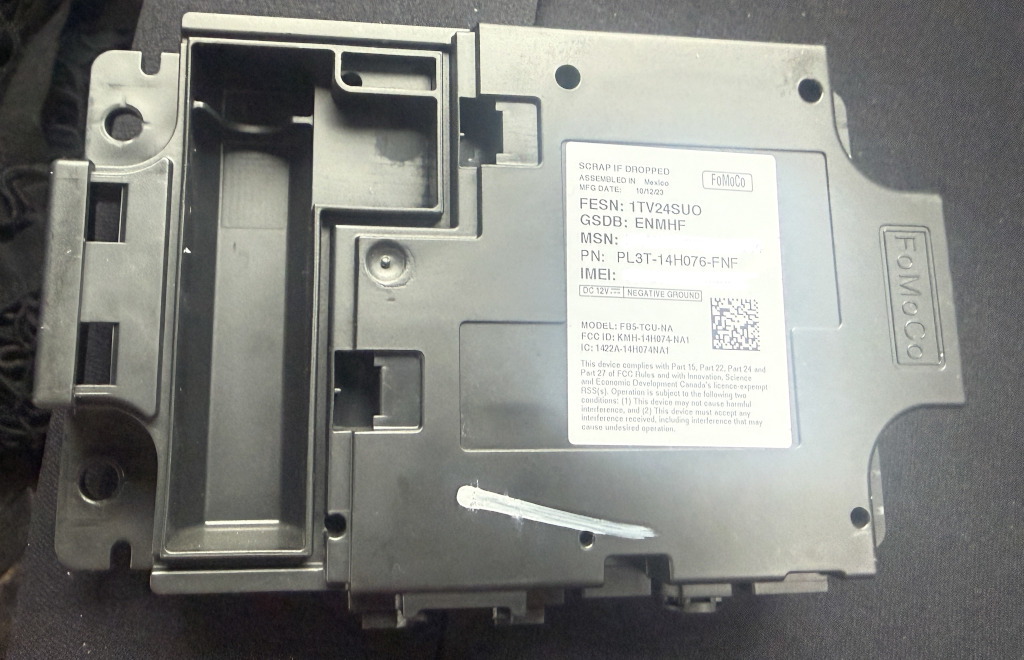
Location
The TCU is mounted behind the rear passenger seat attached to the rear cab wall behind the carpet trim
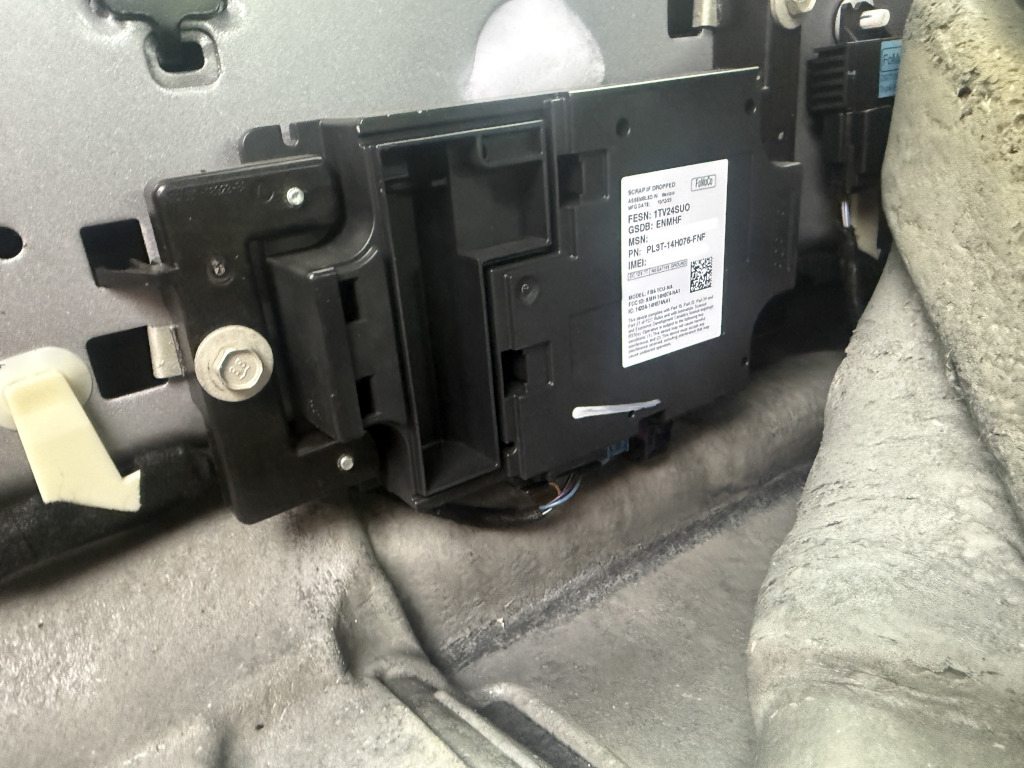
Removal Procedure
Fold the rear seats forward.
Remove the rear carpet trim panel.
Locate the TCU (shown in your picture).
Disconnect the negative 12V battery (recommended).
Unplug the wiring connectors.
Remove the mounting bolts.
Lift out the module.
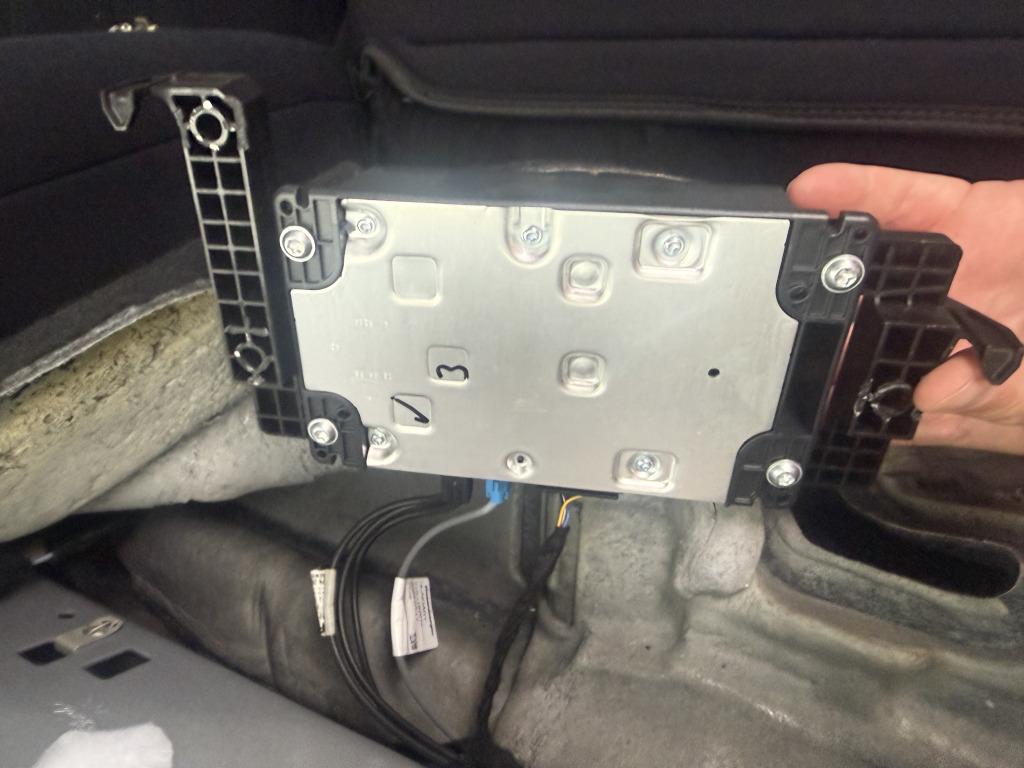
Installation is the reverse order.
No wiring modifications are normally required if the replacement TCU uses the same connectors.
Choosing the EU TCU
For Europe you need a modem from an EMEA vehicle.
Typical donor vehicles:
European Mustang Mach-E
European Ford Ranger (2023+)
other recent European Ford models using the same modem generation
In my case, type N1WT-14H076-CHE was the chosen & correct one.
Connector layout is generally identical, but part numbers differ depending on antenna configuration and model year.
What Happens After Installation?
Simply plugging in the EU TCU is not enough.
The module still has to be:
initialized
configured
some users says also associated with the vehicle — in my case it was not necessery
Typical programming steps include:
TCU Reset – from the menu
TCU Initialization
PMI (Programmable Module Installation)
VIN configuration
Region/Country configuration
FordPass activation
— in my case , just reset was enough, right after that FordPass application started to communicate with vehicle.
Ford workshop software (FDRS) is the preferred tool, although some initialization functions can also be performed with FORScan.
What the TCU Fixes
After a successful conversion you should regain:
✅ FordPass connectivity
✅ Remote lock/unlock
✅ Remote climate
✅ Vehicle location
✅ OTA communication
✅ Cellular modem connectivity
What the TCU Does Not Fix
Replacing the TCU does not convert the infotainment/navigation system to Europe.
If the APIM is still configured as North America, you may experience:
no EU address search
missing European maps
incorrect navigation region
For full EU functionality, the APIM (SYNC) must also be reconfigured from NA → EMEA, and European maps installed. This is a separate process from the TCU replacement. – TBD
Leave a Reply